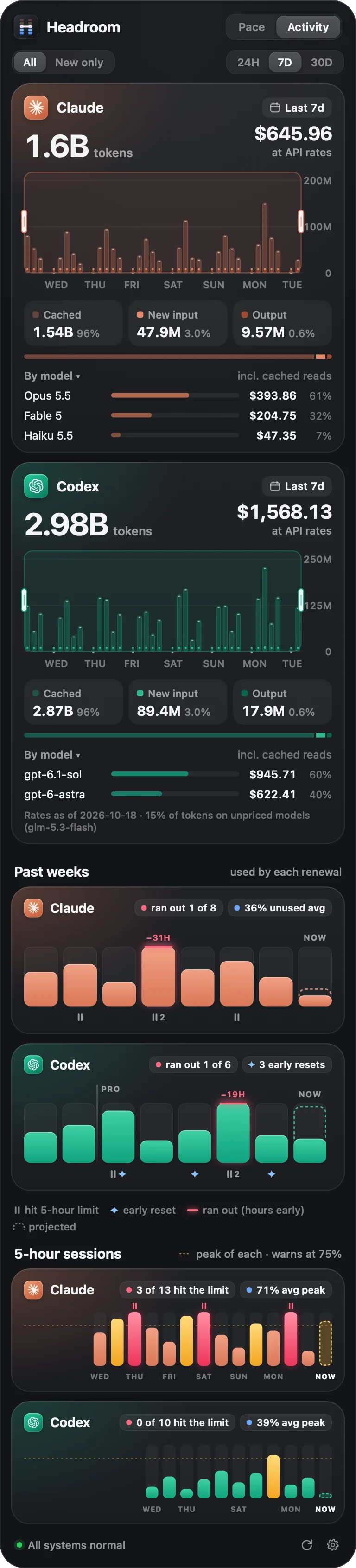
What your usage is worth.
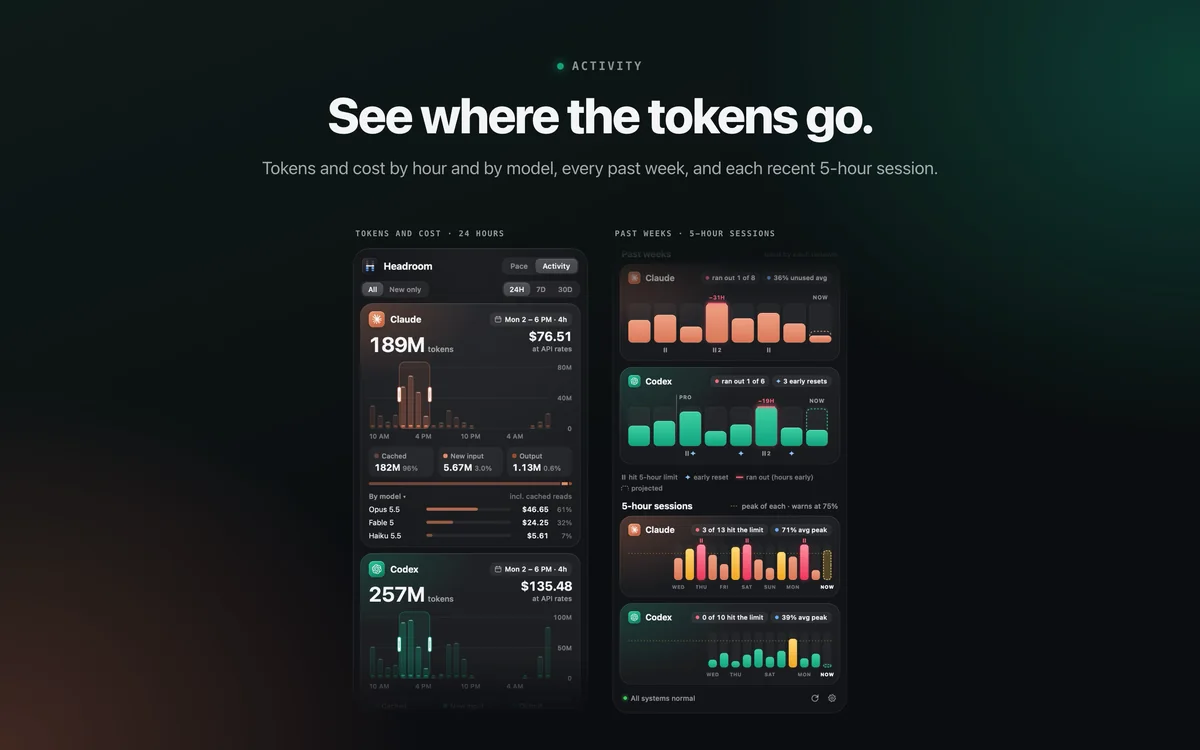
Tokens hour by hour for the last day, week or month, and what they'd cost at API prices. Drag across the bars to price any stretch, and break it down by model.

Headroom
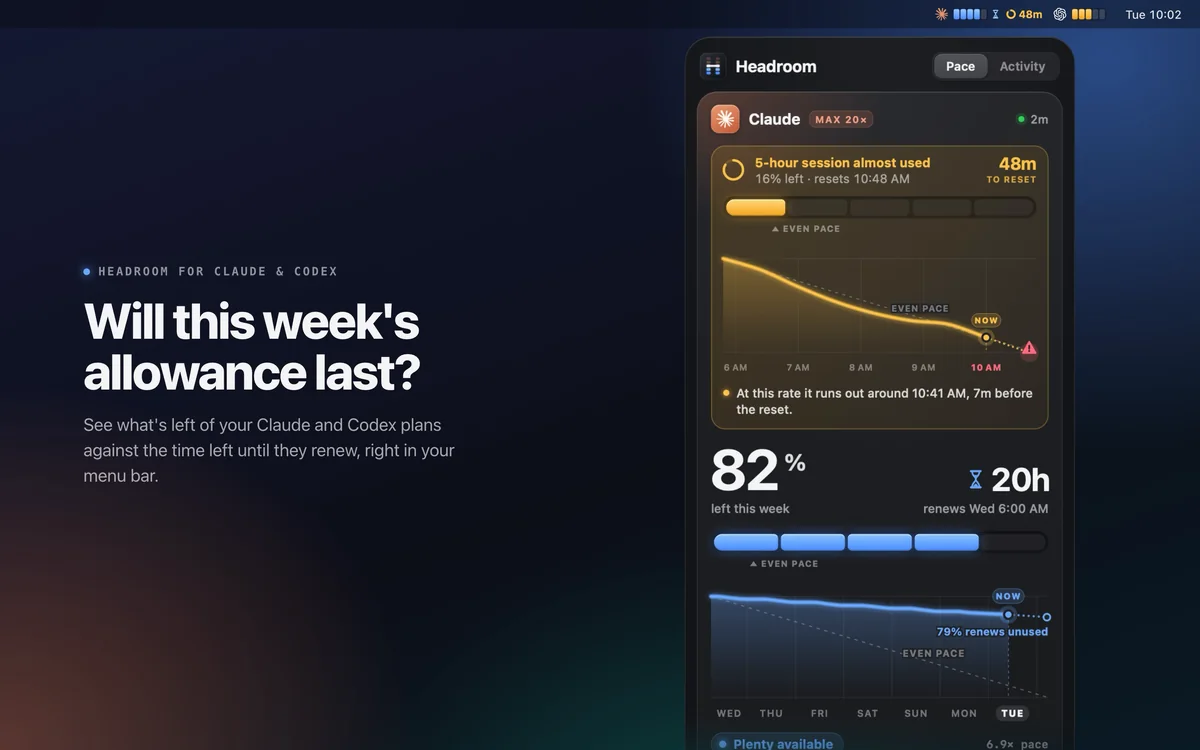
A menu bar pace meter for your Claude and Codex plans. It weighs what's left against the time left, and tells you to use more, keep going, or ease off.
brew install --cask scalexy/tap/ai-headroom
 Tue 10:02
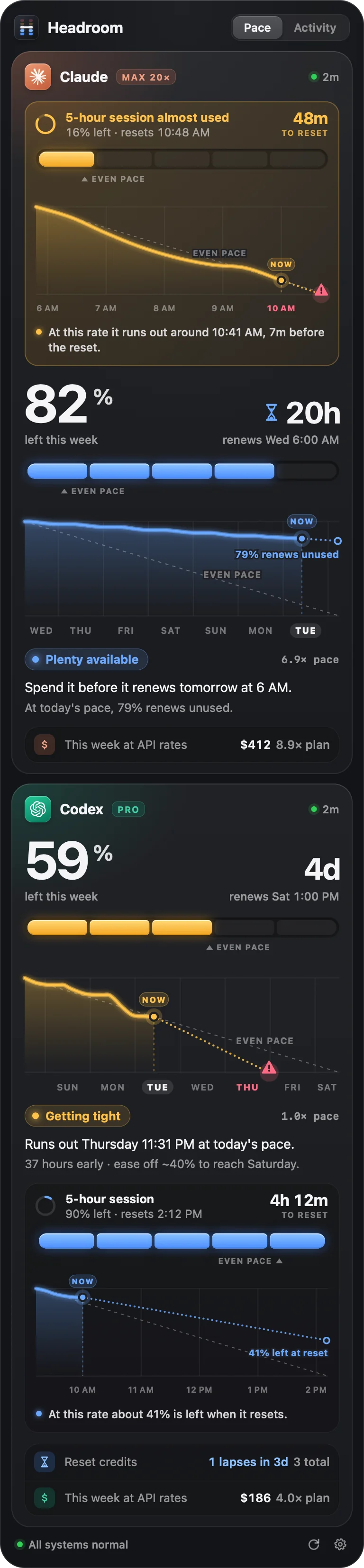
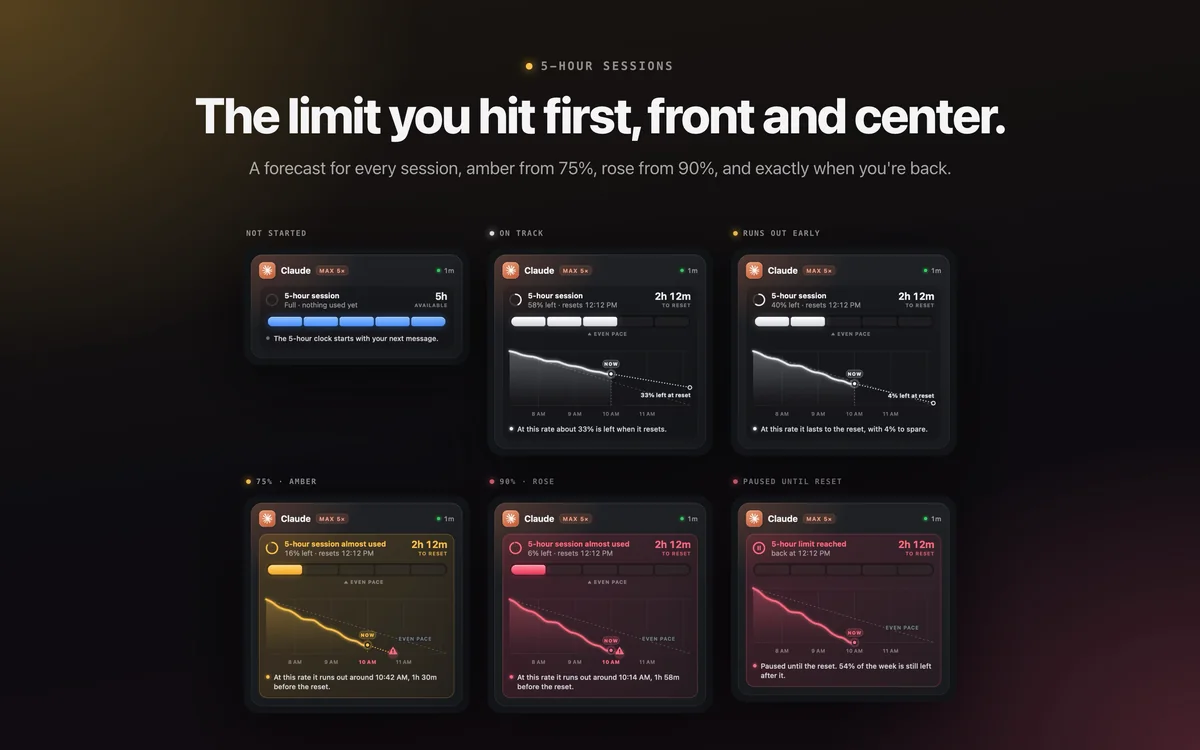
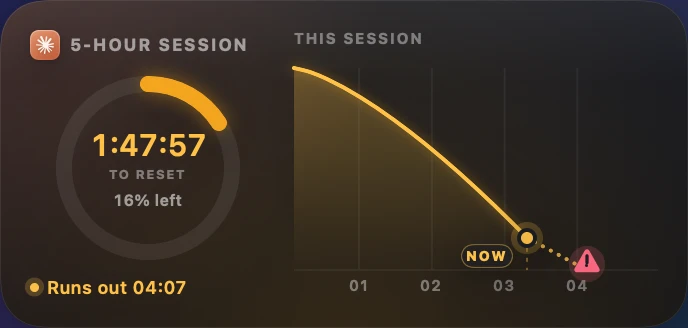
The 5-hour session, first.Amber past your warning level, with a forecast of when it runs out.
What's left, against time left.82% sounds great, until you see it renews in 20 hours.
Your week, drawn.Where you've been, where you're heading, and how much renews unused.
Pace
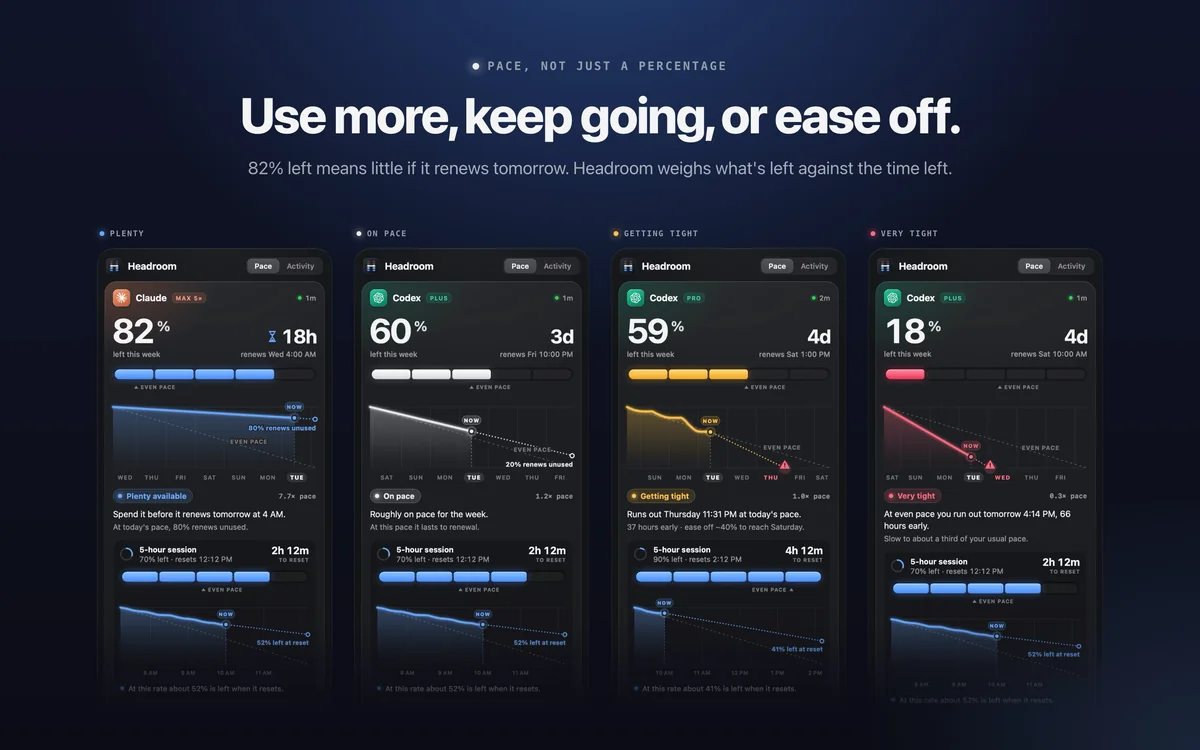
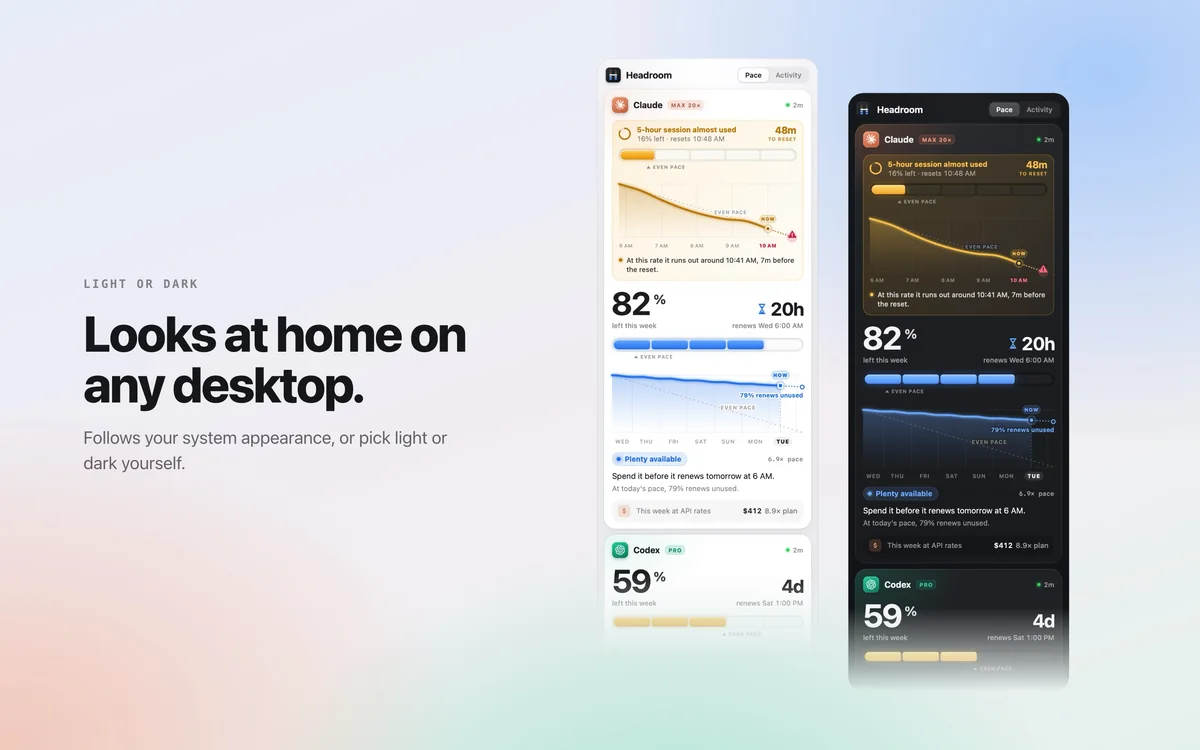
82% left sounds great, until you notice it renews tomorrow. Headroom compares what's left with the time left, draws your week so far, and says in one sentence what to do about it.
Spend it before it renews tomorrow at 4 AM.
At today's pace, 80% renews unused.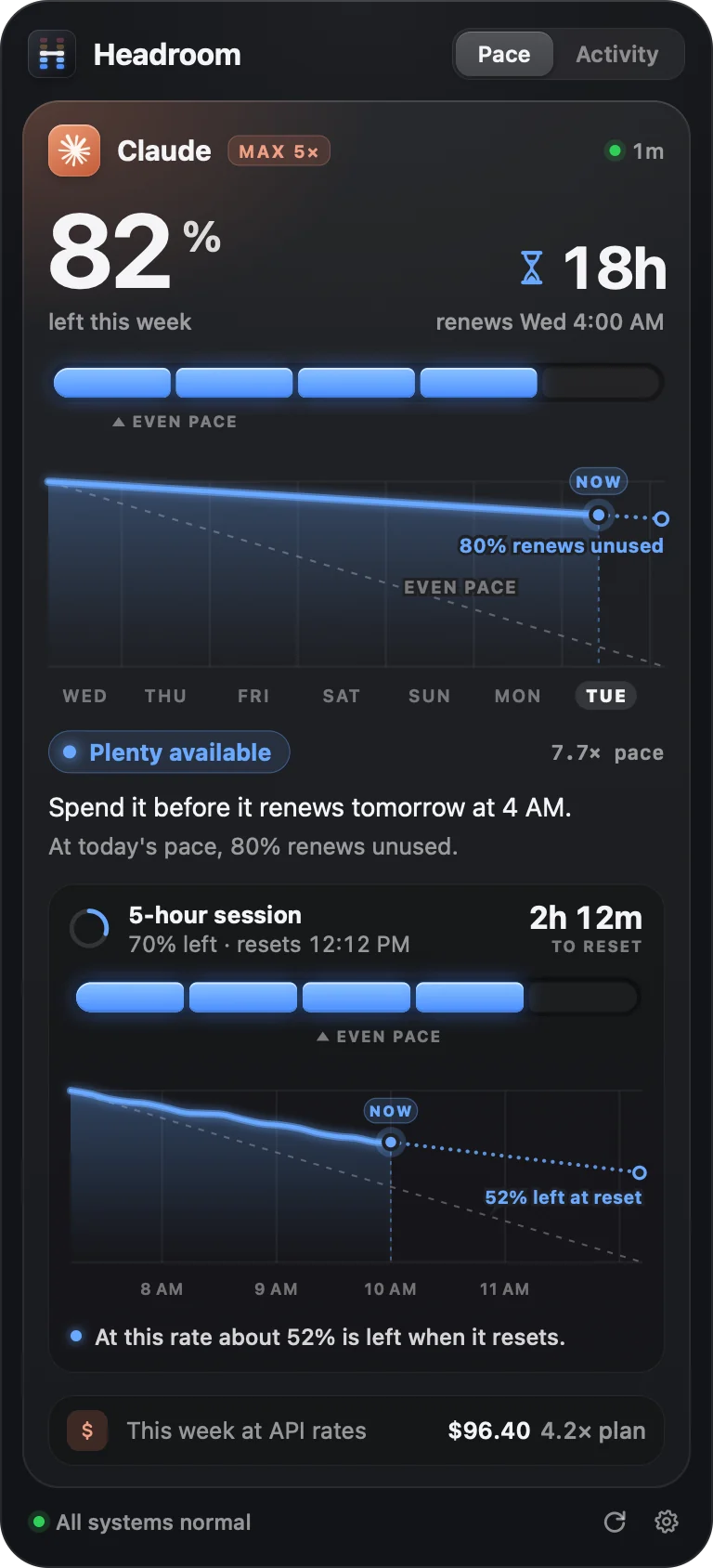
Room to spare. Use more before it renews unused.
On pace. At this rate it lasts to renewal.
Slow down, by how much, and roughly when you'd run out.
5-hour limits
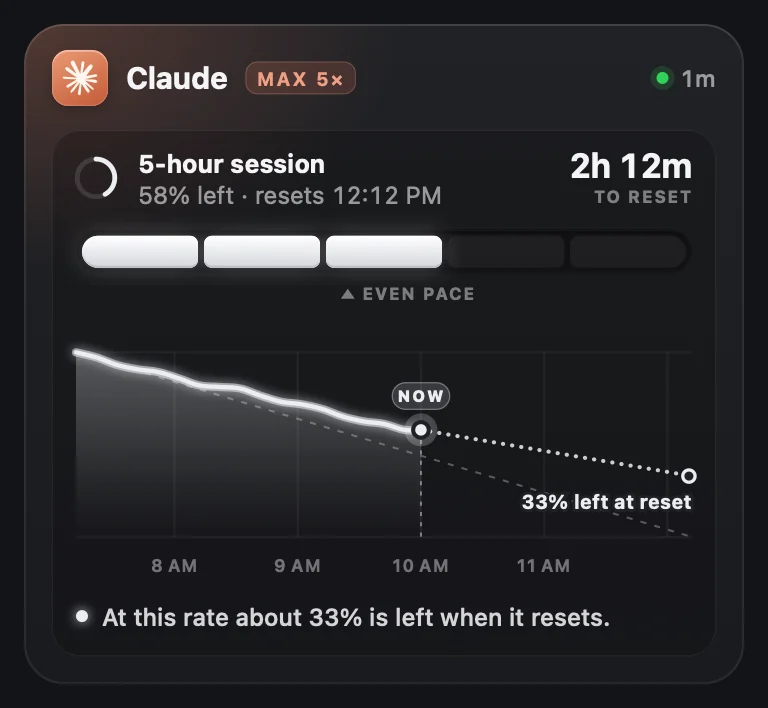
The 5-hour session gets a panel of its own, built like the week: five cells with even pace marked, a graph of the hours so far, and a forecast from your recent pace.
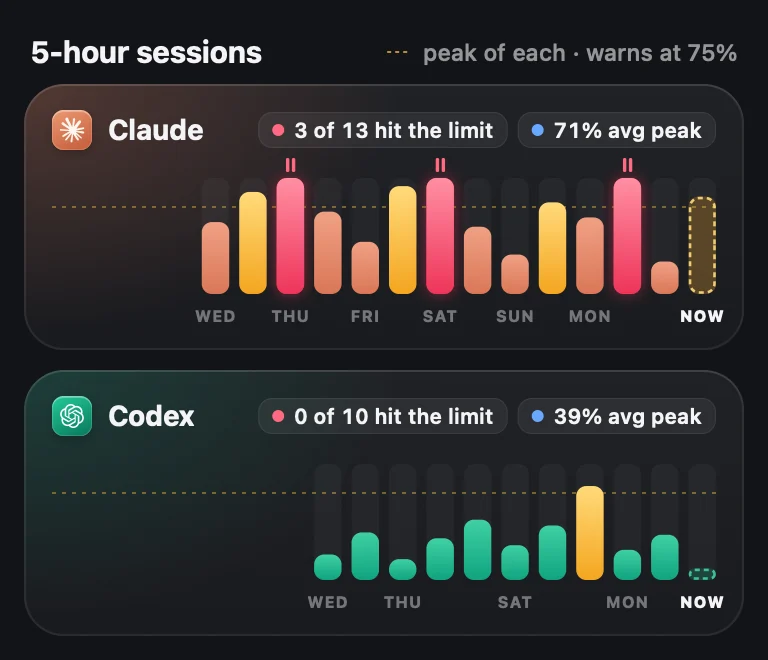
Activity keeps your recent sessions with each one's peak, so you can see which hit the limit. Optional notifications tell you when a session is nearly used, when you hit the limit, and the moment it's back.
Menu bar
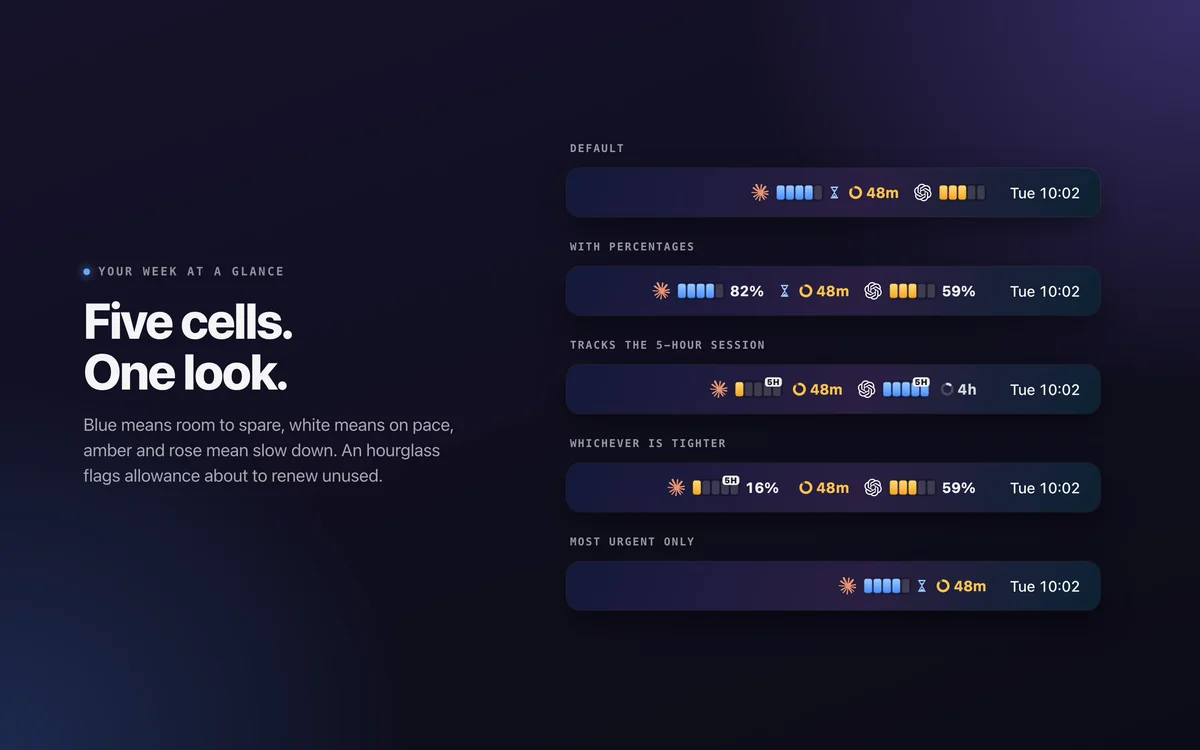
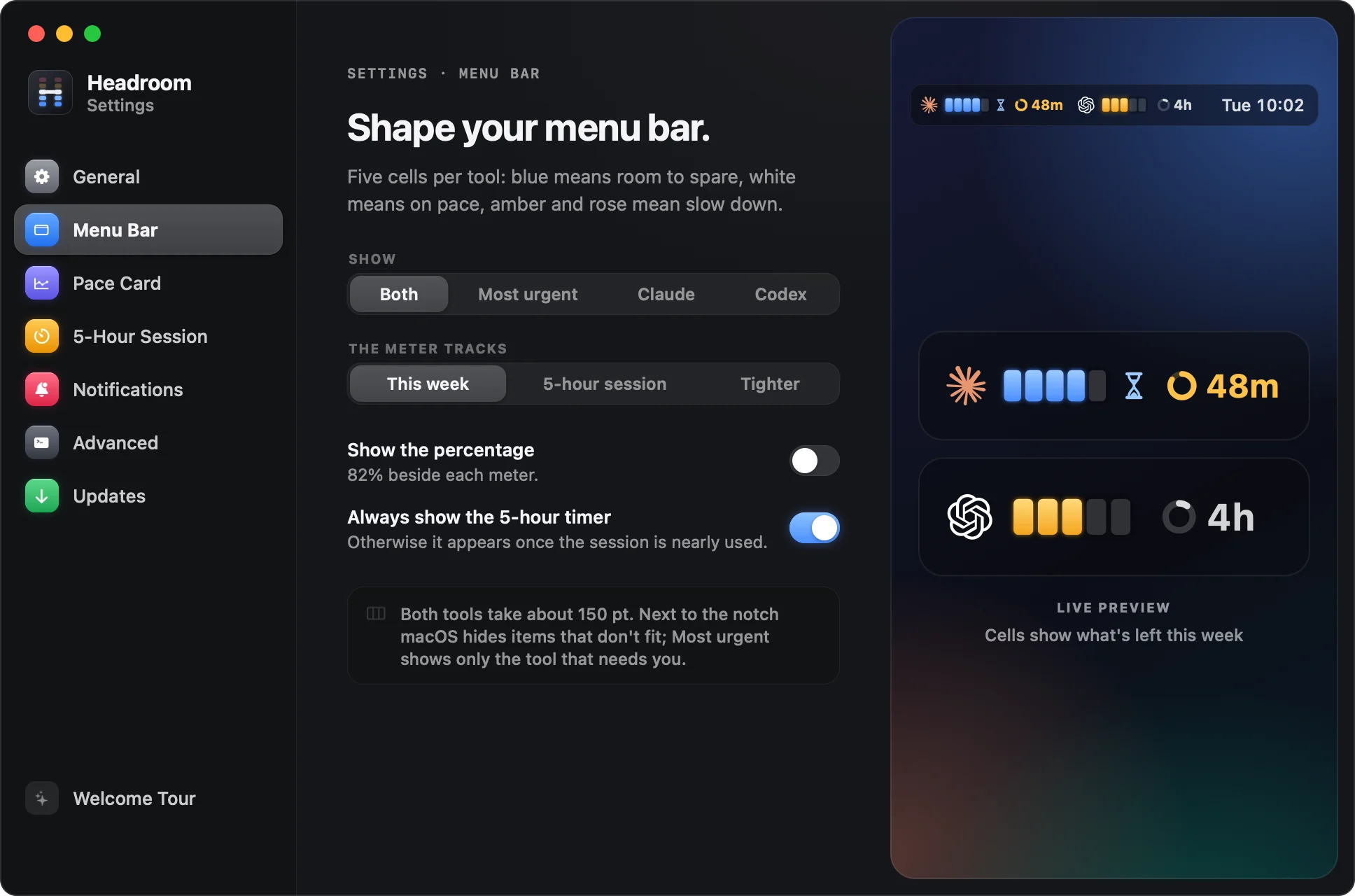
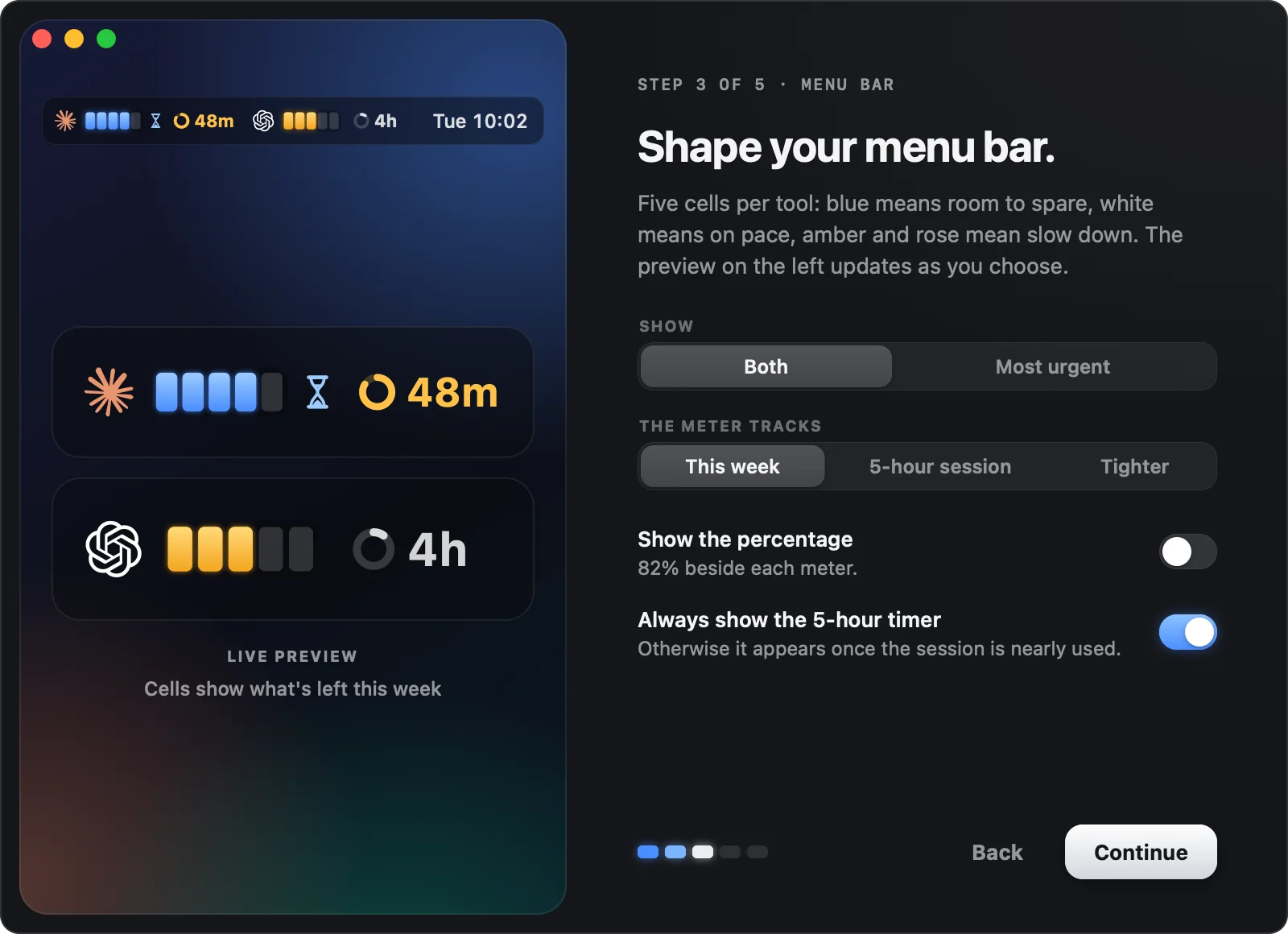
Each tool gets five cells, lit in the color of your pace. An hourglass shows when unused allowance is about to renew, and a countdown appears when your session is nearly used.
Tue 10:02 Tue 10:02
 Tue 10:02
 Tue 10:02
 Tue 10:02
Desktop widgets
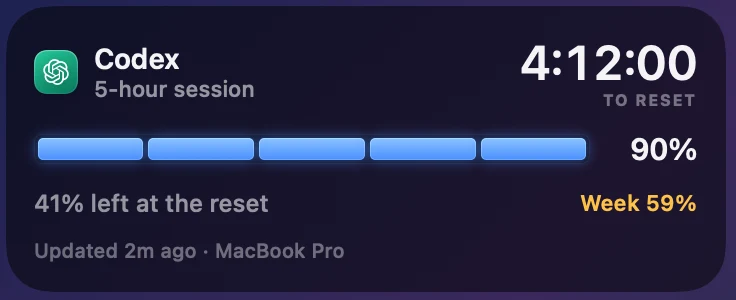
Three widgets in every size macOS offers, with the same forecasts as the popover. Glance at your wallpaper and you know how the week is going.
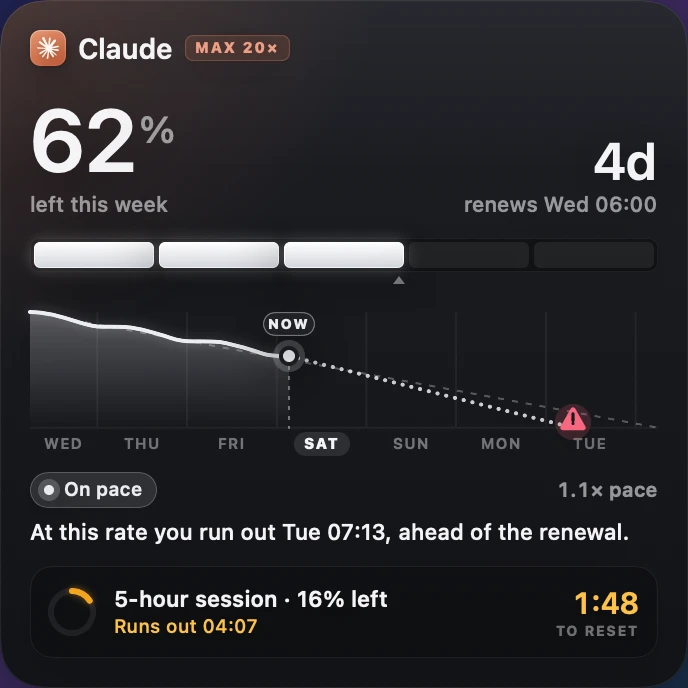
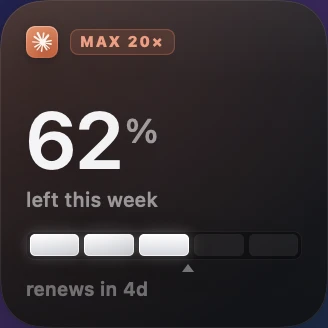
What's left this week, your week drawn so far, and where it's heading.
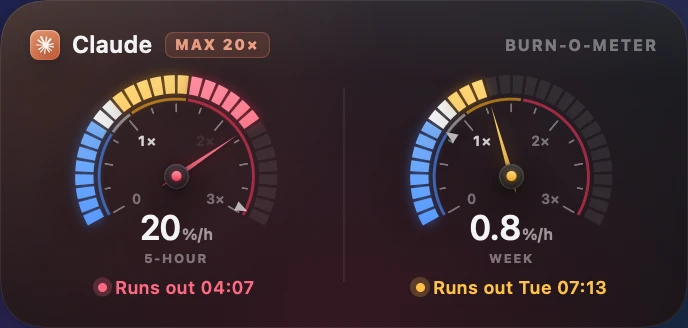
A speedometer of how fast you're spending, with a safe speed marked.
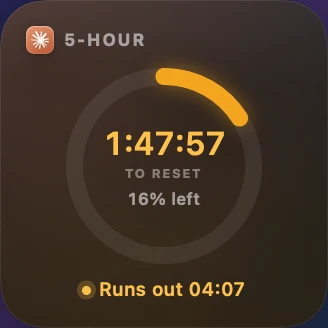
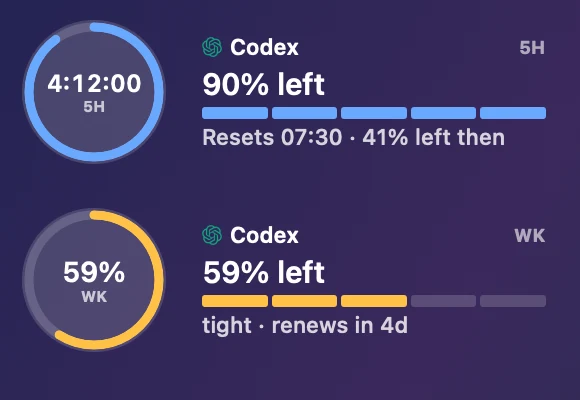
A countdown ring to the reset, and a heads-up if it runs out first.
iPhone, iPad and Apple WatchPreview
Turn on iPhone & Watch in Settings and your readings follow you, through your own iCloud. The same Pace card, 5-hour panel, Burn-o-meter and Activity, wherever you are.
Rings for the session and the week, every account at a glance, and a Live Activity that counts down your 5-hour session.
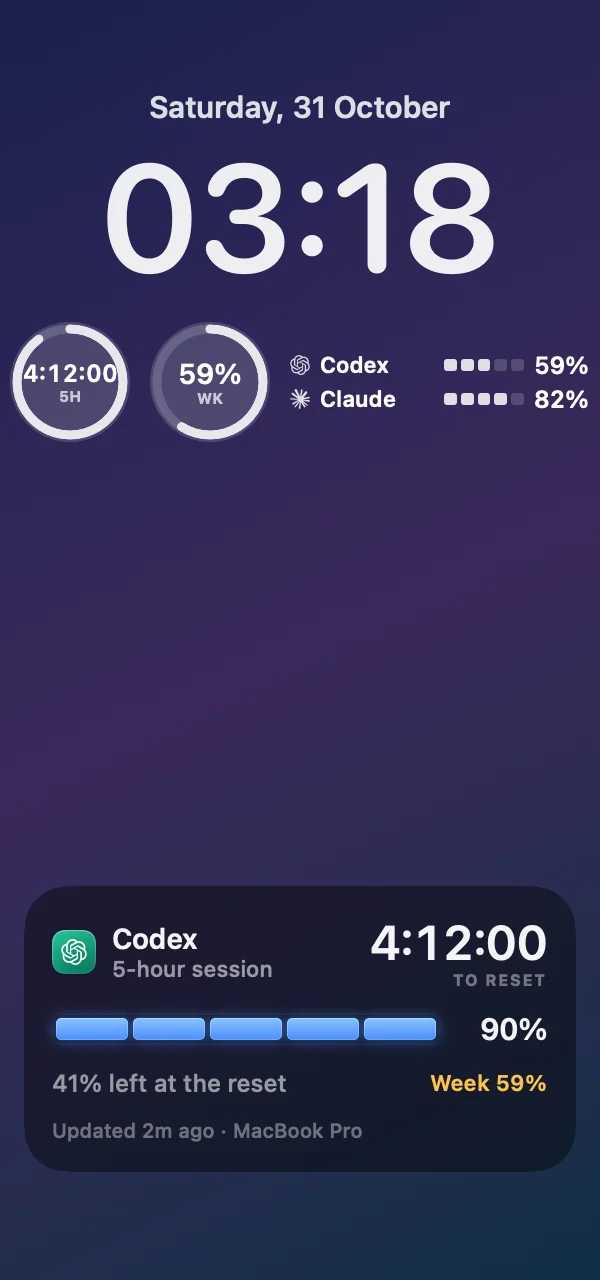
It counts down to the reset and forecasts what's left, on the Lock Screen and in the Dynamic Island.
An Apple Watch app and complications for your watch face.
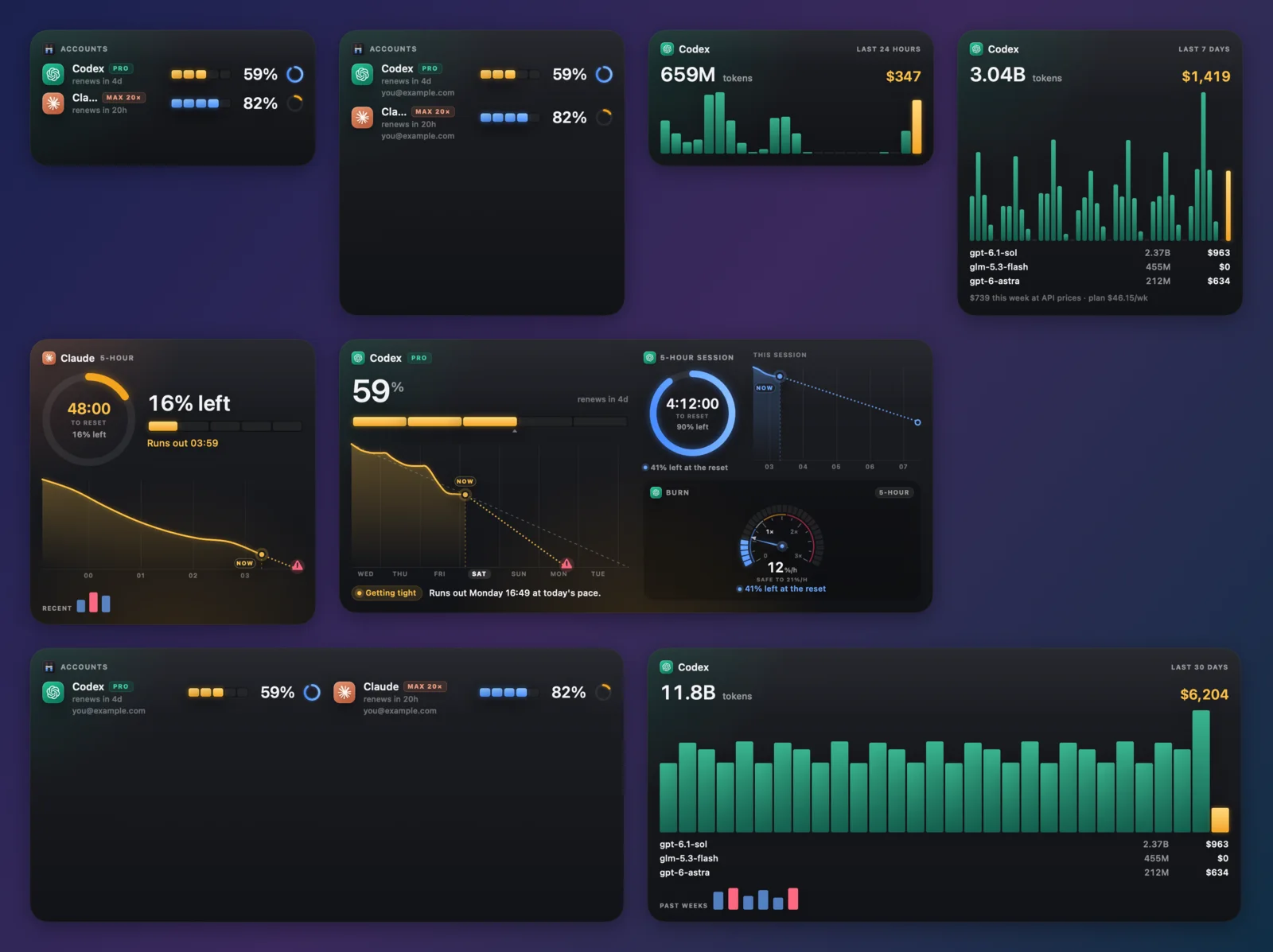
Accounts, Activity, the 5-hour session and the week. Several Macs, or several Claude and Codex accounts? Each account is one card, however many Macs report it, and its activity adds up across them.
Performance
Headroom is a native Swift app, built to sit in your menu bar all day without you ever noticing it. It sleeps when your Mac does, wakes only when there's something new to read, and draws every pixel itself, so it never pulls in heavyweight system graphics.
Memory in use after a full day in the menu bar.1
Average CPU: 44 seconds of work across 22 hours.1
The whole download, widgets, updater and command line included.
Reads while your Mac sleeps or the screen is locked.
| Process Name | Memory | % CPU | CPU Time | Threads | Energy Impact |
|---|---|---|---|---|---|
| HeadroomApp | 22.3 MB | 0.0 | 43.96 | 5 | 0.1 |
The system's glass effects map a graphics archive of about 190 MB into any app that uses them. So Headroom paints its own surfaces on the CPU into small bitmaps, and keeps the open popover to about a sixth of the memory.
It reads your limits every 5 minutes while you're working, every 15 when you're not, and not at all while your Mac is asleep or locked.
File-system events tell it when Claude Code or Codex write new usage, so it doesn't rescan your logs on a timer.
A single timer with built-in tolerance lets macOS batch Headroom's wakeups with everything else's, to save energy.
The first full scan of your history runs in a short-lived helper that exits when it's done, handing its memory straight back.
Swift and AppKit. No web views, no Electron, no runtime to drag along. Just a small app that does one job.
The record of what it has already counted lives in a mapped file, so its clean pages don't count toward Headroom's memory.
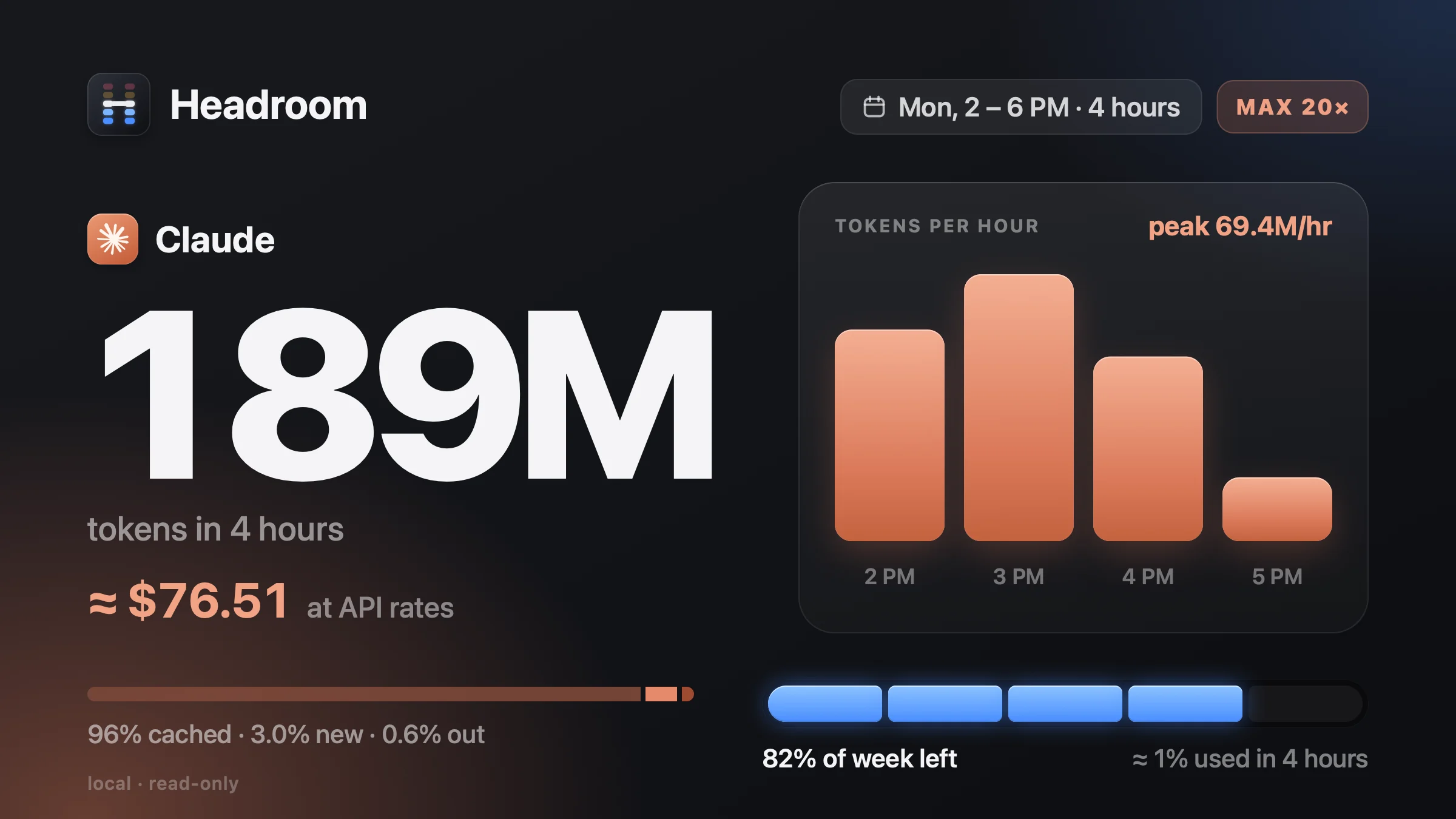
Tokens hour by hour for the last day, week or month, and what they'd cost at API prices. Drag across the bars to price any stretch, and break it down by model.
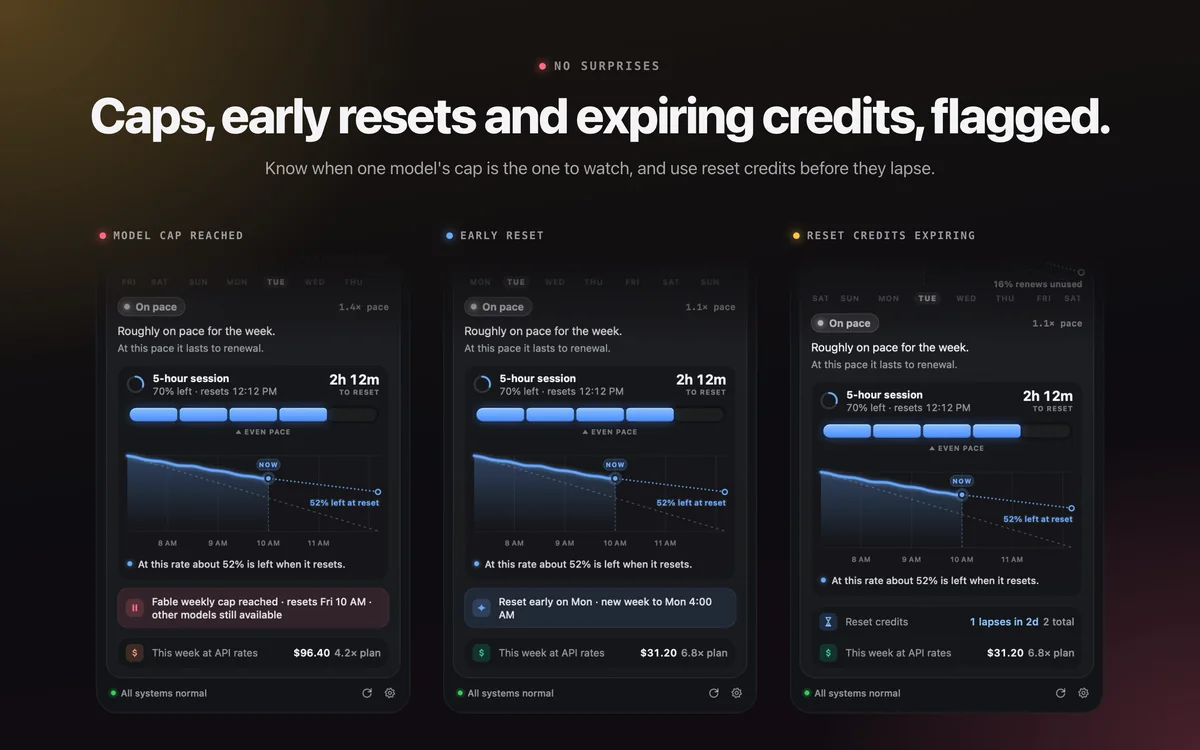
When one model's cap is the one to watch, when your week resets early, or when reset credits are about to lapse, you'll know.
Right-click any card to copy a share image or a text version. Never with project names or your history.
When something's off, it says what happened, keeps your last reading, and retries on its own.
Type headroom for the same summary, put a one-line status in your prompt, or have a long job wait until your session frees up.
$ headroom statusline
Claude ▮▮▮▮▯ 82% ⏱48m   Codex ▮▮▮▯▯ 59%

$ headroom wait && claude -p "continue the refactor"
⏸ waiting on the 5-hour session · 10:48 AM (48m)
Keep a long run going from the right-click menu: for 15 minutes up to 8 hours, until your 5-hour session resets, or until you turn it off.
macOS lets the chip run hot before the fans spin up. Set your own curve with two numbers, and long runs stay fast.
Setup
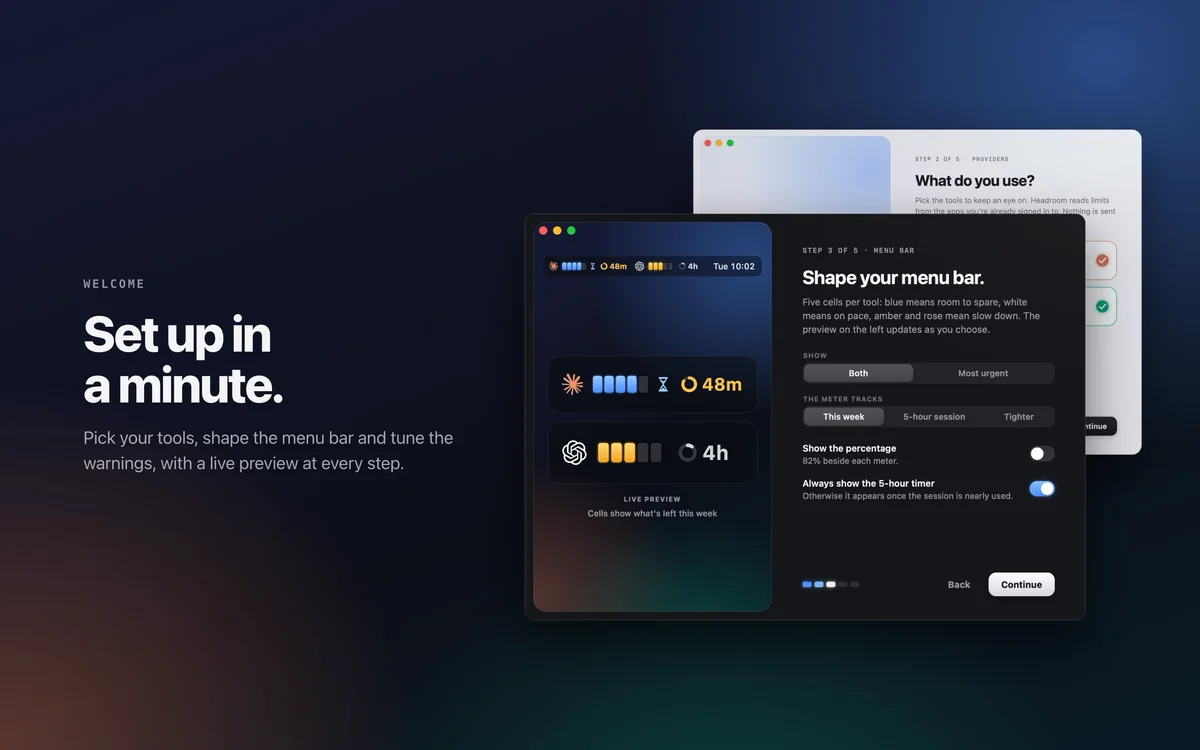
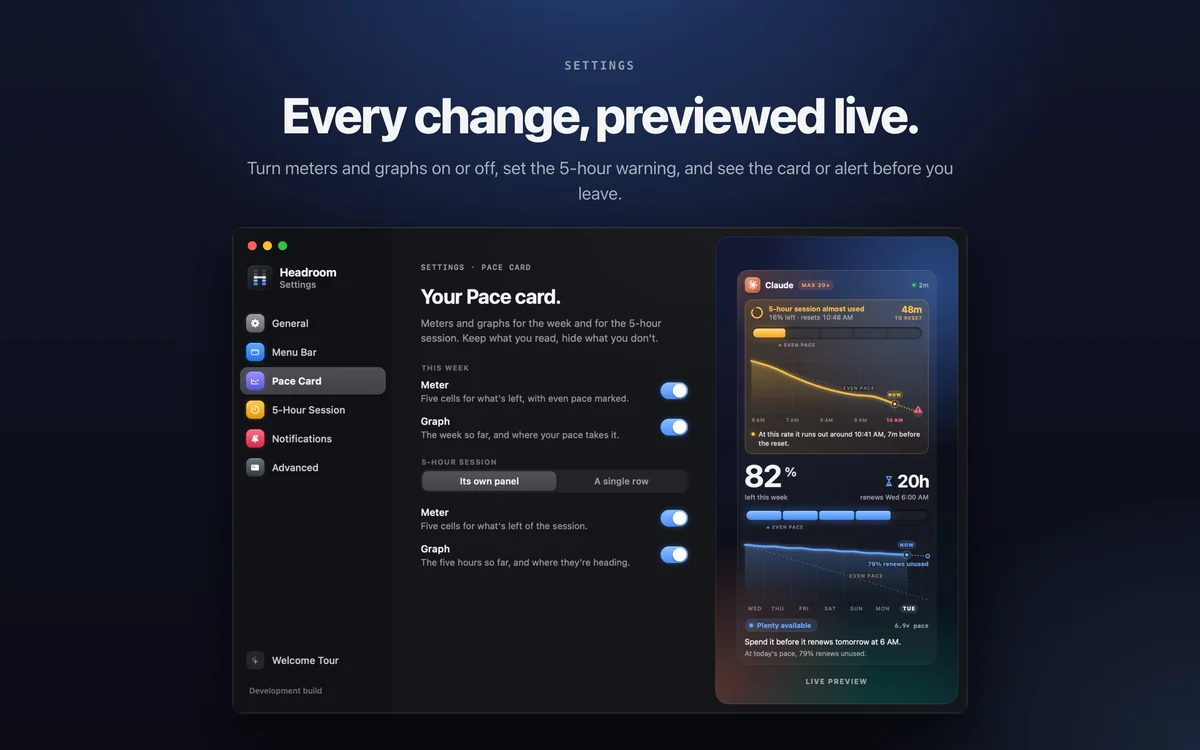
A five-step welcome sets it up the first time. Every choice previews live and applies at once, and it's all in Settings later, each section beside a preview of what it changes.
Privacy
Headroom never sends a prompt, never uses one of your reset credits, and never changes your sign-in. There's no Headroom server and no sign-up. No analytics, ever.
Token counts come from files already on your Mac. Nothing you type is stored, and nothing is uploaded.
Anthropic's usage page, your iCloud when sync is on, and, if you leave it on, the Claude and OpenAI status pages. That's all of it.
Sync to iPhone and Watch goes through your own private iCloud, end-to-end encrypted. Prompts, projects and sign-ins never sync.
Alerts are scheduled on your device. Nothing runs as root unless you turn on Fan Control.
Headroom appears in your menu bar a few seconds after install and opens a short welcome to set it up.
Also links the headroom command and its man page. Update with brew upgrade.
brew install --cask scalexy/tap/ai-headroom
No Homebrew? This verifies the download, installs to Applications and starts Headroom. Run it again to update.
curl -fsSL https://raw.githubusercontent.com/ScaleXY/headroom/main/install.sh | bash
Requires a Mac with Apple silicon and macOS 15 or later, and Claude Code or Codex signed in to your subscription. iPhone & Watch sync needs an Apple Account with iCloud.